RaceFrame Get started
For coaches and the athletes they train

Watch the ride back. Coach the whole team.

RaceFrame replays every ride and run on the real map, at the pace it happened, painted with heart rate. Coaches see the whole team in one place and compare their athletes on the same climb.

Sign in with an account you already have. Bring your Strava history with you.

Your whole historyDrop in your Strava archive. Years of activities import in minutes.
Any deviceFIT, GPX and TCX from Garmin, Wahoo, COROS, Apple Watch apps.
Real pace1× is real time. Stops drop out. Speed up to 300×.
Private by defaultCoaches never see where an athlete's ride starts or ends.
For coaches

Your whole team, on the trail you ride.

Send one invite link. Athletes sign in, import their own activities, and agree to share them with you. You see every rider's training on one map.

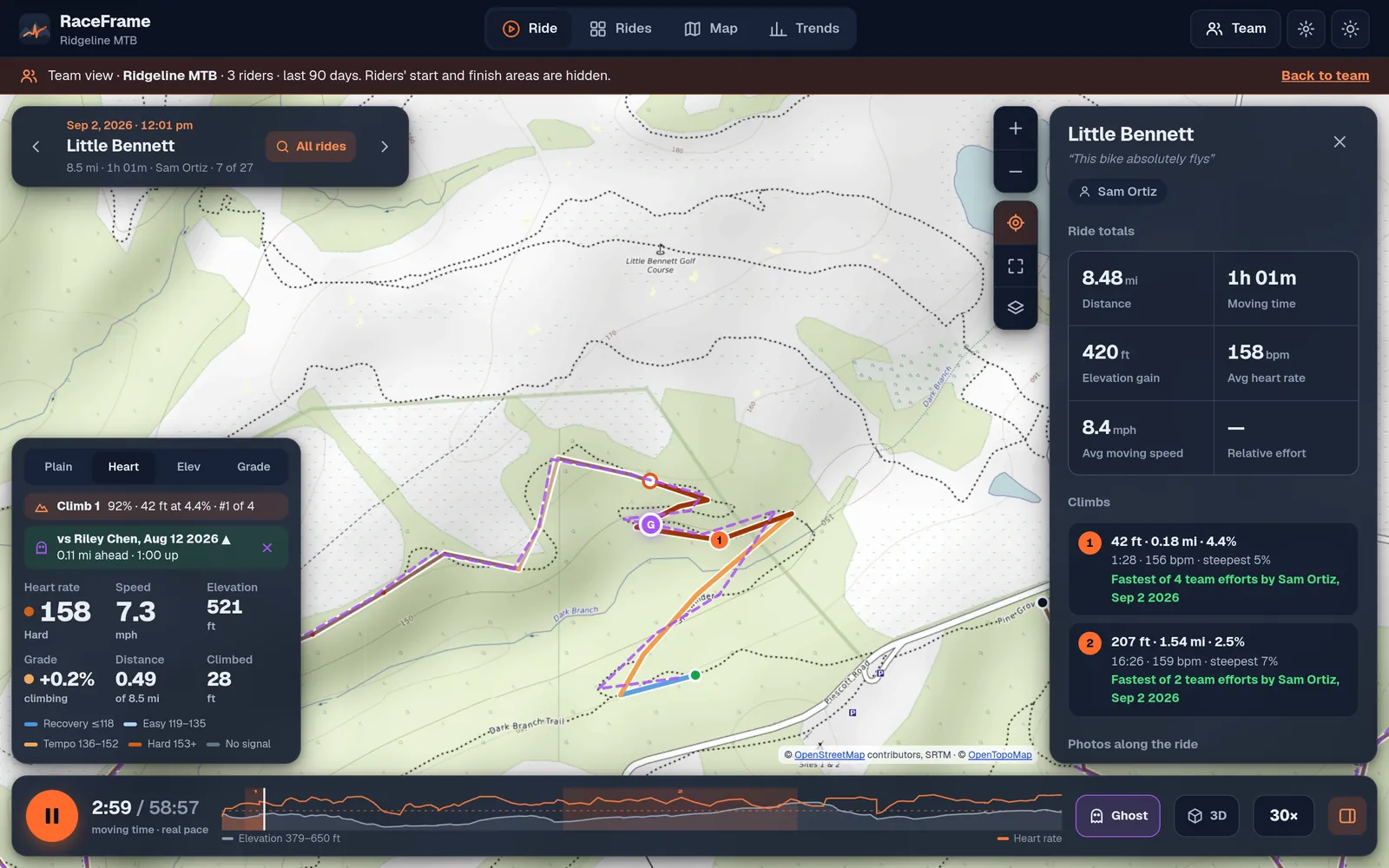
Team view: one rider racing a teammate's ghost on the same trail, with the gap shown live

Race one athlete against another

Pick any two efforts on the same trail and replay them together. Tap the trail to set the start line, then both clocks run 1:1, and the gap shows in feet and seconds as they go.

  • Every climb found automatically and ranked across the team
  • Heart rate painted on the trail, so you see who's working and where
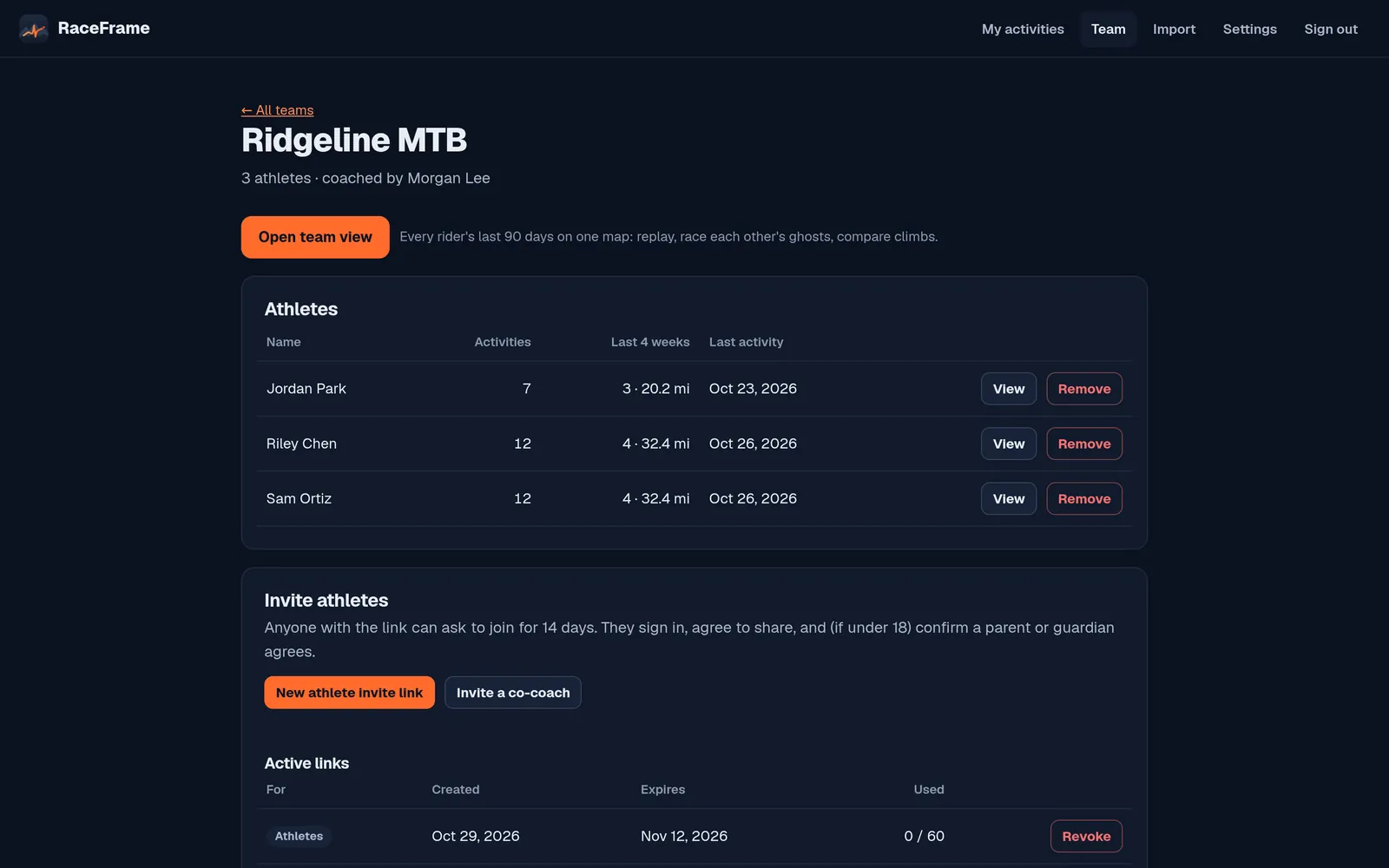
Team roster: athletes, activity counts, last activity, invite links

A roster that runs itself

See who's been out this month and who hasn't. Invite links expire on their own, can be withdrawn any time, and co-coaches get their own access.

  • Open any athlete's activities, or the whole team at once
  • Trends by rider: miles, time and heart rate over the season
  • Weak spots and suggested workouts for each athlete
For athletes, and anyone riding or running on their own

Not a list of numbers. The ride itself.

You don't need a coach. Import your history and watch every ride and run play back on the trail it happened on.

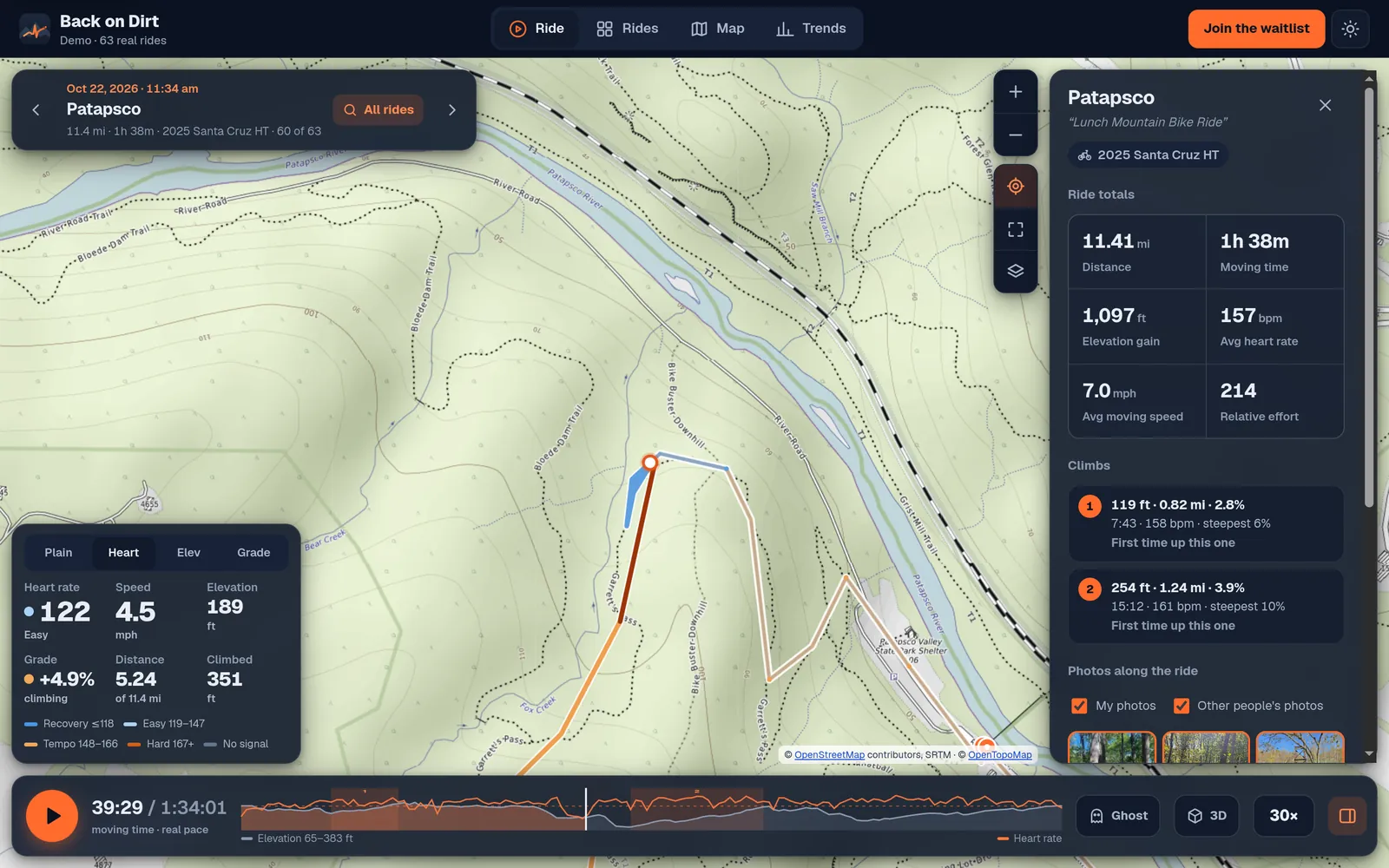
A ride paused mid-climb, the trail painted from blue to red by heart rate, with live heart rate, speed and grade

Replay at the pace you rode it

Every stretch plays at the speed you actually went. Paint the trail by heart rate, elevation or grade, and scrub to the moment it got hard.

  • Race your past self, and choose the exact start line for a true 1:1 race
  • See your weak spots on climbs, flats and descents, with workouts to fix them
  • Fly the route in 3D over real terrain
  • Runs show pace per mile; rides show speed

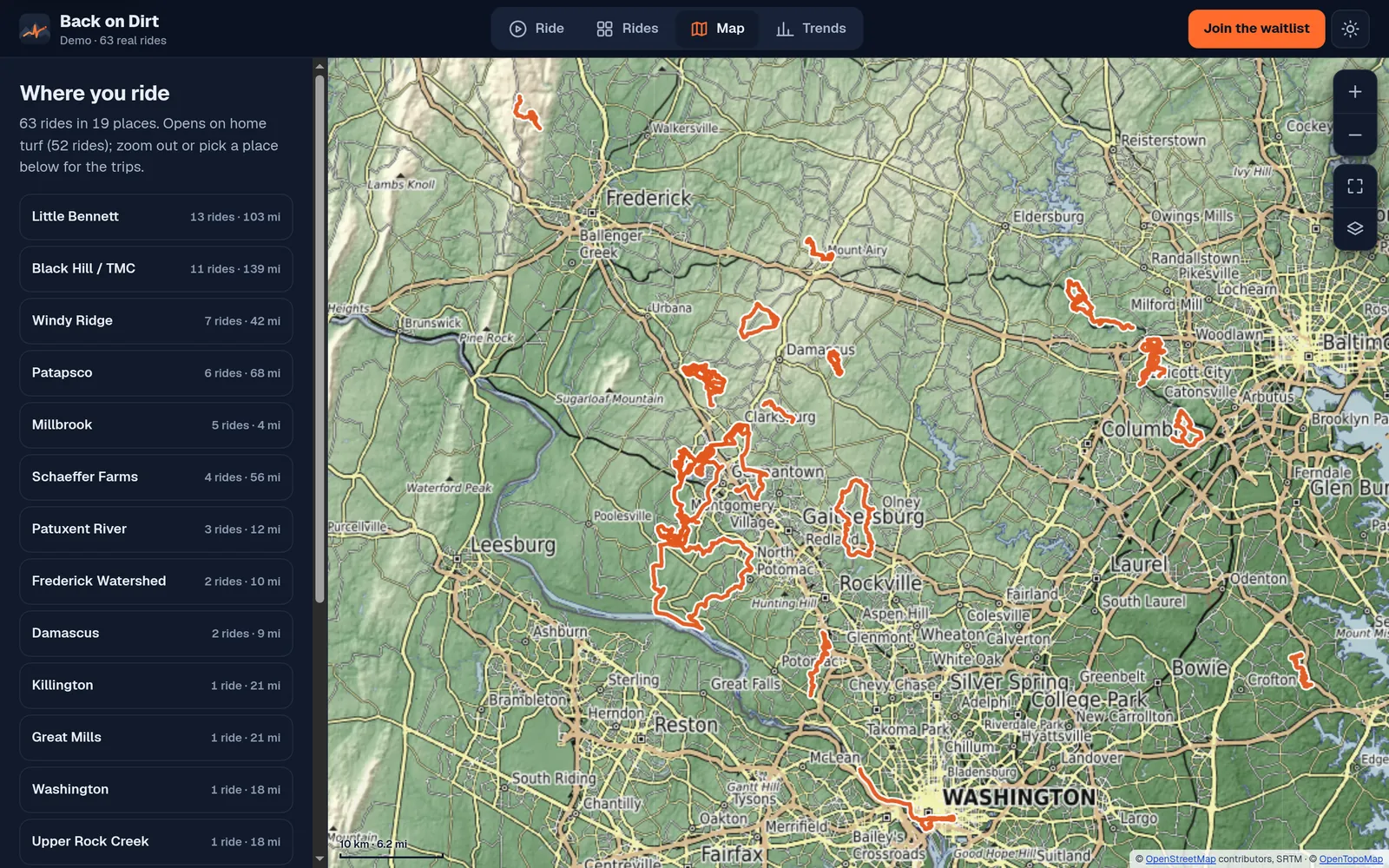
Every ride, one map

Everywhere you've ridden or run, grouped by trail system, with a searchable library of map thumbnails.

Every ride on one map, with a list of places

Trends that answer real questions

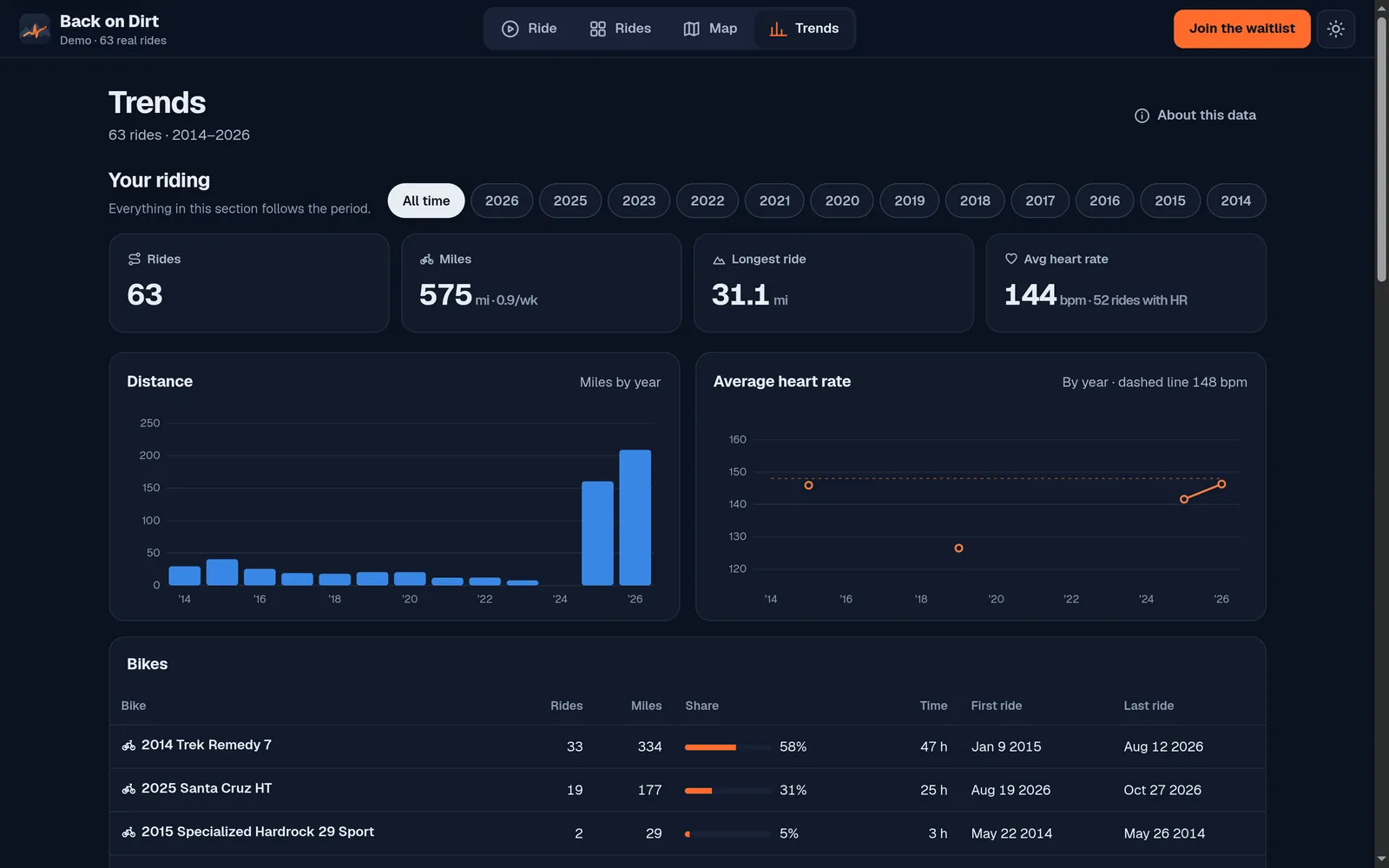
Miles by year or month, heart rate against your easy ceiling, and every bike you've owned.

Trends: rides, miles, longest ride and average heart rate by year
How it works

Set up a team before practice.

  1. Sign in and create a team

    Use an account you already have. Name your team and copy the invite link.

  2. Athletes join and import

    They open the link, agree to share, and drop in their Strava archive or watch files.

  3. Compare and coach

    Open the team view: replay, race athletes against each other, and see who's improving on which climbs.

Privacy

Built for teams with teenagers on them.

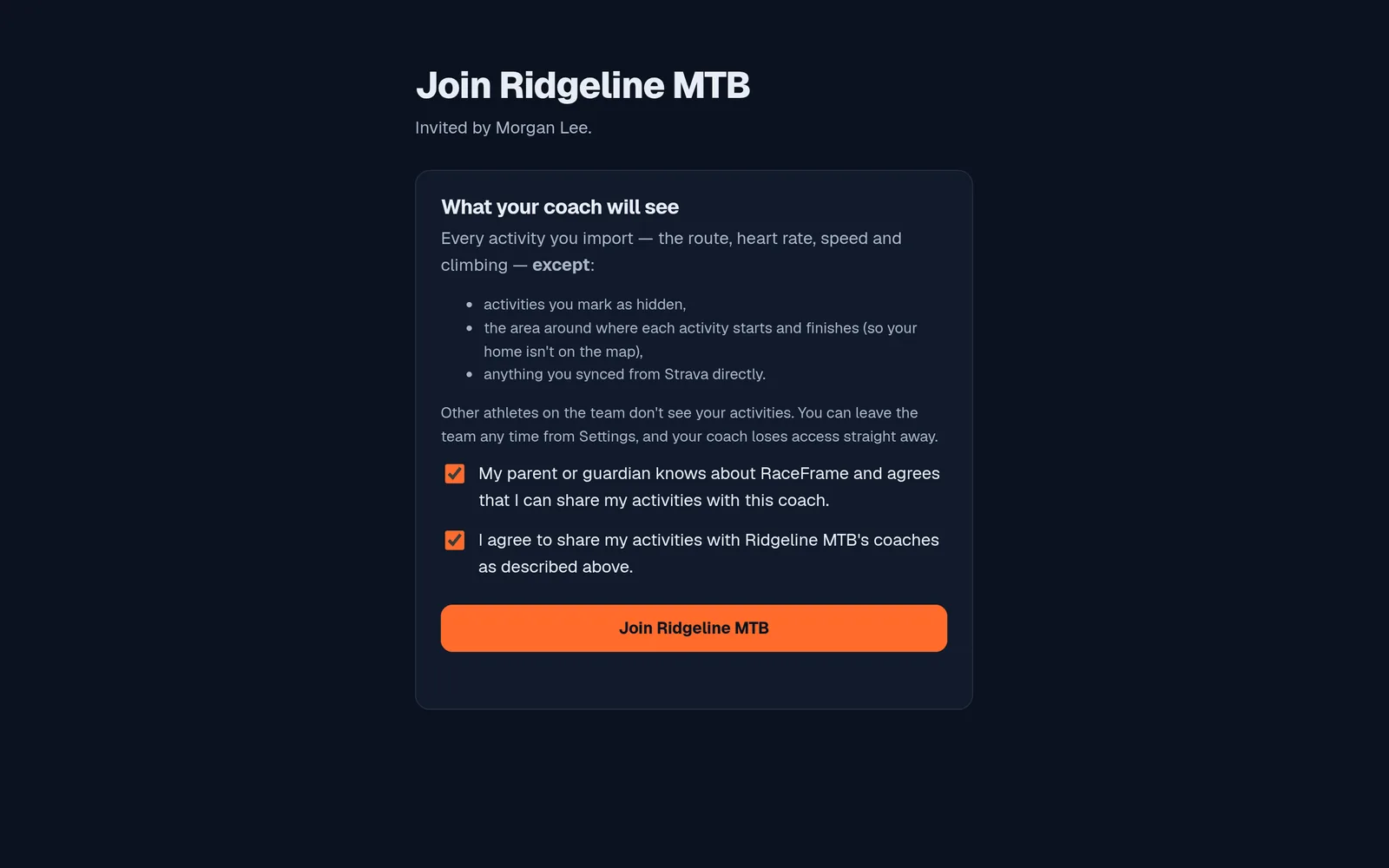
  • Athletes choose to shareJoining a team is a clear yes. Under-18s also confirm a parent or guardian agrees.
  • Home stays off the mapThe area around where each activity starts and ends is hidden from coaches. Under-18s can't turn that off.
  • Teammates don't see each otherOnly the team's coaches see an athlete's activities. Athletes can hide any single activity.
  • Leave or delete any timeLeaving a team ends the coach's access immediately. Deleting your account deletes everything.
  • No ads, nothing soldYour data is used to show you your activities, and nothing else.
The join screen: what the coach will see, the guardian checkbox and the agreement
Questions

Straight answers.

What does it cost?

RaceFrame is in early access. We'll tell everyone well before anything changes.

Does it connect to Strava?

Yes, for your own use: connect Strava and your activities come in on their own, shown only to you. Strava's rules don't let apps show that data to a coach, so to share with a coach you import your files instead (Strava: Settings → My Account → Download your data).

What devices does it work with?

Any phone or computer with a modern browser. Activity files from Garmin, Wahoo, COROS, Suunto and most phone apps work.

Who can see my activities?

You, and the coaches of any team you join, minus the activities you hide and the start and finish of each one. Nobody else.

Is it only for mountain biking?

No. Road and gravel rides, runs, trail runs and hikes all work. Indoor sessions without GPS are skipped.

How do I delete my data?

Settings → Delete your account. Everything goes, at once. You can also download a copy first.

See your season the way you rode it.

Coaches: set up your team in five minutes. Athletes: bring your history and watch it back.